
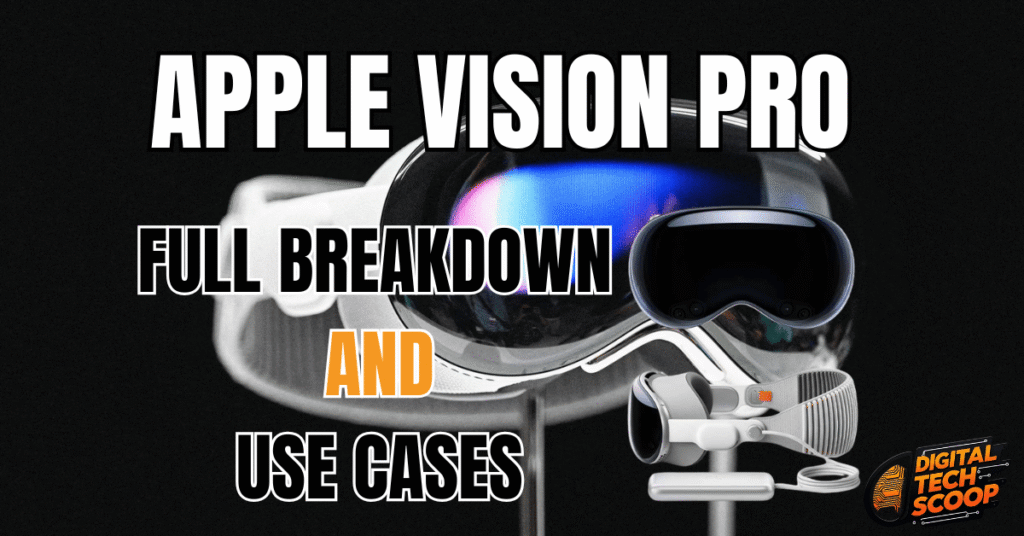
The Apple Vision Pro is not just another gadget—it’s Apple’s most ambitious product since the iPhone. Blending virtual reality (VR) and augmented reality (AR) into a seamless spatial computing experience, the Apple Vision Pro is a bold leap into the future of technology.
Announced with a hefty price tag and futuristic design, the Apple Vision Pro represents Apple’s vision of a world where physical and digital realities merge. In this blog post, we’ll provide a full breakdown of what the Apple Vision Pro offers and explore the top use cases that make it one of the most exciting devices of the decade.
Table of Contents
ToggleKey Features of the Apple Vision Pro
1. Ultra-high-resolution display
Apple Vision Pro is equipped with a micro-OLED display that boasts an extraordinary pixel density, delivering sharp and vibrant visuals. Whether you’re watching movies, gaming, or working on 3D designs, the clarity is unmatched.
2. Advanced eye and hand tracking
Unlike traditional VR controllers, Apple Vision Pro uses sophisticated eye-tracking and hand gestures for navigation. Simply look at an app and pinch your fingers to select—no physical controller required.
3. Spatial audio and immersive sound
Featuring integrated spatial audio, the headset creates 3D sound that aligns with your surroundings. Whether participating in a virtual meeting or navigating a game world, the audio experience is captivatingly realistic.
4. Powerful M2 chip (with R1 coprocessor)
Apple Vision Pro is powered by Apple’s M2 chip, which ensures smooth performance for resource-intensive applications. The dedicated R1 coprocessor handles real-time sensor data, reducing latency for a fluid experience.
5. macOS and iOS integration
Effortlessly connect your Apple Vision Pro to your iPhone, Mac, or iPad. Use it as an extended display, run iOS apps in augmented reality, or control your Mac using virtual inputs.
6. Passthrough mode with LiDAR scanning
The high-resolution passthrough camera lets you see your real environment while superimposing digital content. LiDAR scanning improves depth perception, facilitating natural interactions between virtual objects and your surroundings.
Apple Vision Pro: Use Cases That Redefine Technology
What can you do with the Apple Vision Pro? Apple didn’t build this device for just one use—it’s a multi-purpose tool for work, play, and everyday life.
1. Productivity Reimagined
It turns any environment into a giant digital workspace. You can:
Use multiple floating screens for multitasking
Connect your Mac wirelessly and view it in a massive virtual display
Join video calls in FaceTime with a realistic avatar
Access iWork apps like Pages, Numbers, and Keynote
Remote work will never be the same again; your home office is wherever you are.
2. Immersive Entertainment
If you’re a movie buff or gamer, it offers a stunning experience:
Watch movies and TV shows in a virtual movie theater
Use Apple TV+, Disney+, and other streaming apps with cinematic visuals
Experience 3D movies and spatial audio for full immersion
Play spatial games built specifically for VisionOS.
It’s like owning a personal IMAX cinema.
3. Next-Level FaceTime and Communication
FaceTime on the Apple Vision Pro introduces “Persona”—a realistic, real-time digital avatar of you that mimics your facial expressions and movements. Whether it’s a business meeting or family catch-up, this makes virtual conversations feel more natural.
4. Educational and Training Applications
It opens doors in education and professional training:
Medical students can study 3D anatomical models
Engineers can interact with design prototypes
Pilots can undergo flight simulations
Teachers can create immersive lessons with interactive visuals
The combination of immersion and spatial interactivity makes learning far more engaging.
5. Travel and Exploration
Explore the world from your living room. With apps like Apple Maps and AR experiences, you can:
Walk through ancient ruins
Tour famous museums
Climb mountains or dive into the ocean
It also offers travel experiences that were once unimaginable without a passport.
6. Creative Design and Development
Artists, architects, and designers can now create in 3D space using tools optimized for the Apple Vision Pro:
Sketch or paint in mid-air
Build 3D models in real time.
Preview designs in actual room layouts
This is a game-changer for those in the creative industry.

Apple Vision Pro: Pricing and Availability
When the Vision Pro first came out in the United States, it cost $3,499 at launch. It comes with a travel case, storage choices, and optional prescription lens inserts. Despite the high cost, Apple markets it as a professional-grade spatial computing tool rather than merely a virtual reality headset.
Is the Apple Vision Pro Worth It?
It depends. For developers, designers, remote workers, or technology enthusiasts, the Apple Vision provides robust features that conventional desktops or laptops cannot compete with.
Although the typical consumer might be reluctant because of the cost, early adopters and professionals are already discovering methods to incorporate it into their work processes and daily lives.
How Does the Apple Vision Pro Compare to Meta Quest & HoloLens?
| Feature | Apple Vision Pro | Meta Quest Pro | Microsoft HoloLens 2 |
|---|---|---|---|
| Display | Micro-OLED (4K per eye) | LCD (2K per eye) | Waveguide (720p) |
| Tracking | Eye + Hand Gestures | Hand Controllers | Hand Gestures |
| Processor | M2 + R1 Chip | Snapdragon XR2+ | Snapdragon 850 |
| Passthrough | Full-color LiDAR | Black & White | Optical See-Through |
| Ecosystem | macOS & iOS Integration | Android-based | Windows Mixed Reality |
The Apple-Vision-Pro stands out with its superior display quality, seamless Apple integration, and advanced eye-tracking controls.
Final Thoughts
The Apple-Vision-Pro isn’t just about flashy features—it’s a vision of the future. It’s Apple’s take on how we’ll interact with technology in a post-smartphone world.
From productivity and entertainment to education and design, this is one of the most versatile pieces of tech we’ve seen in years. It’s not just a headset—it’s a glimpse into what computing could look like a decade from now.
FAQs
The Apple Vision Pro is used for spatial computing—working, watching content, communicating, gaming, and learning in an immersive 3D environment.
Apple claims up to 2 hours of continuous use with the external battery pack.
As of now, it’s available in the U.S. only, with global expansion expected later in 2025 or early 2026.